
This entry explains whether you should use animation in presentations, and if so, how.
This question has no easy answer, and searching online turns up all sorts of opinions. To give the boring conclusion first, it depends on the case, but let’s think about how to judge what “it depends” actually depends on.
Let’s begin.
toc
The Effects of Animation
Before deciding whether animation is needed, let’s first sort out the effects of animation. What happens when you use it?
For a start, watch what is probably the most-watched presentation that uses animation.
This is the moment the concept of the “smartphone” as we know it was unveiled to the world. It’s now a piece of history. Although I’ve set it to start at the part relevant to this entry for busy readers, watch it from the beginning if you have time. It’s a presentation well worth it.
Back to the topic. The effects of animation fall broadly into these three:
- It keeps the audience in step with the presentation
- It adds movement and liveliness to the presentation
- It takes resources (more a “result” than an “effect”)
Although ③ is clearly a drawback, for ① and ② we need to think about whether they’re even advantages or drawbacks.
Let’s look at each in turn.
Effect of Animation #1: It Keeps the Audience in Step with the Presentation
First, animation lets you keep the audience in step with the pace of your presentation.
Obviously, you can’t say everything on a slide in an instant. And people understand things far faster by seeing (reading) than by listening.
So if you show everything on a slide at once without animation, the audience will run ahead of your speech and read the slide on their own. To put it bluntly, they stop listening to your presentation.
Animation prevents this. If you reveal only what you’re about to talk about, step by step, the audience can’t see what comes next.
In the presentation above, too, if the punch line, “these are not three separate devices, but one,” had been visible in advance, it wouldn’t have been fun at all. It got the audience so excited precisely because the punch line was revealed at the same moment as the speech.
Note that this effect depends on not handing out the materials in advance. If the audience has the materials in hand, assume they’ll look at them, with or without animation.
What Keeping the Audience in Step Means
Keeping the audience in step with your presentation means that the presenter holds strong control. The audience doesn’t know what’s coming until the presenter moves on.
The impression this gives the audience can be described in two ways:
- Put positively: in the spotlight, dazzling, powerful
- Put negatively: smug, overbearing
As the presentation above shows, both are true.
Should the Presenter Hold Strong Control?
So, as presenters, should we hold strong control?
Take a look at the following quotation.
At presentation meetings attended by him [Bill Gates], there’s no time set aside for presenters to give a presentation. What he calls a presentation meeting means a Q&A session with the presenter. So nobody walks through slides while explaining them. The materials are sent in advance, and on the day, the presenter just takes questions.
In short, Bill Gates is saying this:
“I’m the one who knows best what I want to know. So don’t talk on your own; just answer what I ask.”
In my experience, you can safely assume that senior people in organizations think in much the same way (even if not as extremely as Bill Gates).
What this means is that using animation in a presentation to someone senior to you is likely to irritate them. You, in the junior position, would be making someone who thinks “just tell me what I want to know, and quickly” follow your pace.
This risk more than cancels out every advantage of animation. So if the audience is senior to you, it’s safer not to use animation. In fact, some companies ban animation in internal meetings.
In presentations to people senior to you, it’s safer not to use animation
Going further, when the audience is senior to you, it’s better not to put much weight on the presentation itself. You might even be told, like Bill Gates, “Skip the presentation and show me the materials.” You should spend your resources on polishing the materials.
Conversely, it’s only when you, the presenter, are in a strong position that it’s okay to use animation and take control. Steve Jobs, above, is a good example. By then, his presentations had been elevated to legend, and it’s no exaggeration to say that everyone in that audience was a Jobs fan. It was less a “presentation” than a “show.”
In this way, focusing on your relationship with the audience will let you make the right call.
Effect of Animation #2: It Adds Liveliness
The second effect of animation is that it adds movement to the presentation and makes it lively. This is exactly what the word “animate” (to give movement to) means, so it needs no explanation.
However, most people don’t benefit from this effect. Most people present in “serious contexts” such as internal meetings, sales, and research presentations. You don’t give crowd-pleasing presentations to large audiences like the iPhone launch above.
In serious contexts, there’s no need to create liveliness with flashy animation. Doing so just makes people wonder if you’re joking around. Even if you use animation, the only effect you want from it is the one described above: keeping the audience in step with your presentation.
So these two animations are enough (both names are PowerPoint’s):
- Fade: the content gently fades in
- The calmest of the animations, so this alone is usually enough
- Wipe: the content appears as if sweeping in from one direction
- For “content with a direction,” such as processes or arrows, this is easier to follow
Neither of these feels frivolous.
(Most people) don’t need animation to create liveliness
Of course, this doesn’t apply if you’re holding a product launch for a large audience, for example. Thinking about what tone you want your presentation to have should point you to the right answer.
Effect of Animation #3: It Takes Resources
Finally, animation takes resources (time and energy). Needless to say, it takes time and energy both to set up animations and to rehearse along with them.
Although it doesn’t take “a huge amount” of resources, it isn’t negligible either. Although setting up animations on the slides isn’t much work, getting to the point where you can present smoothly along with the animations takes a lot.
Without animation, each time you advance, the whole next slide appears, so you can glance at it as you build your speech1. With animation, however, you see the title at most. Presenting fluently that way takes a fair amount of rehearsal.
Whether these resources are justified can only be decided case by case. What I can say for sure, though, is that animation changes “how you convey things,” not “what you convey.”
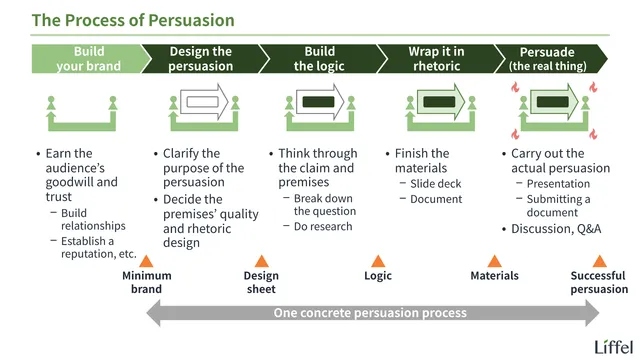
A presentation can’t compete without substance first. Spending resources on delivery when there’s no substance can’t be justified in any case. For more on this, see the entry below.

Looked at another way, for presentations you give many times, it’s easier to justify the resources spent on animation. Once you’ve invested in improving the delivery, you get the return again and again.
In this way, how many resources you can spend on “how you convey” (rather than “what you convey”) is another angle for deciding whether to use animation.
Guidelines for Animation
Based on all this, let’s think about guidelines for using animation.
First, the three criteria that came up were:
- Your relationship with the audience
- The tone you want for the presentation
- The resources you can spend on “how you convey” (whether the presentation will be repeated)
With these in mind, here are guidelines for a few typical cases:
- Internal meetings: no animation needed
- From every angle, there’s no reason to use it
- Sales: consider using it on key slides
- Coming across as powerful may (sometimes) earn more trust
- You’re not as clearly in the junior position as in internal meetings
- Depending on the product, you generally give the same presentation many times
- Seminars: use it on key slides, or throughout
- You’re in a strong position
- You give it repeatedly
Since I’m not claiming these are the right answers, judge each case against the three criteria above in practice.
That covers the use of animation in presentations.
All presentation-related entries are collected below.
Footnotes
-
That said, since the basic rule is to look at your audience when you present, you shouldn’t keep looking at the slides. ↩